
Speedtest Redesign
I wrote about my typing test redesign process on my personal blog in 2011, sadly, that blogpost doesn't exist anymore, but I tried to grab as much content from archive.org as possible to recreate it here :)
Overview
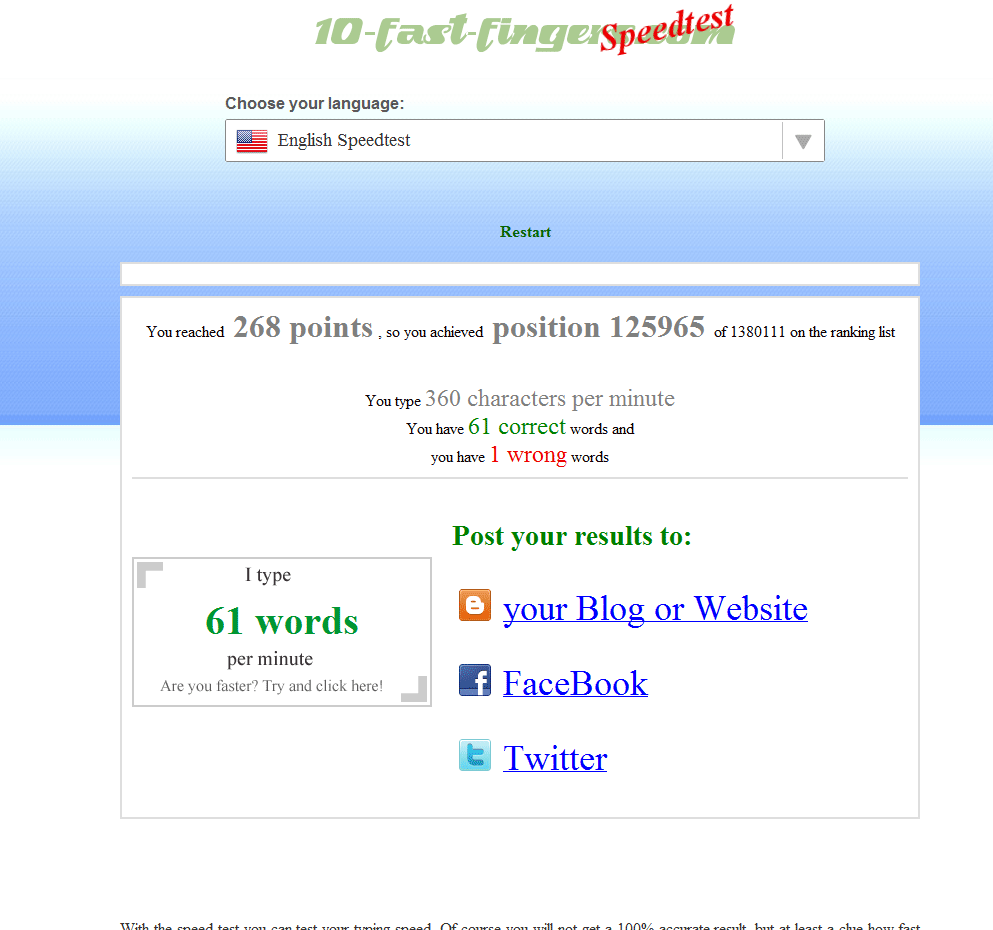
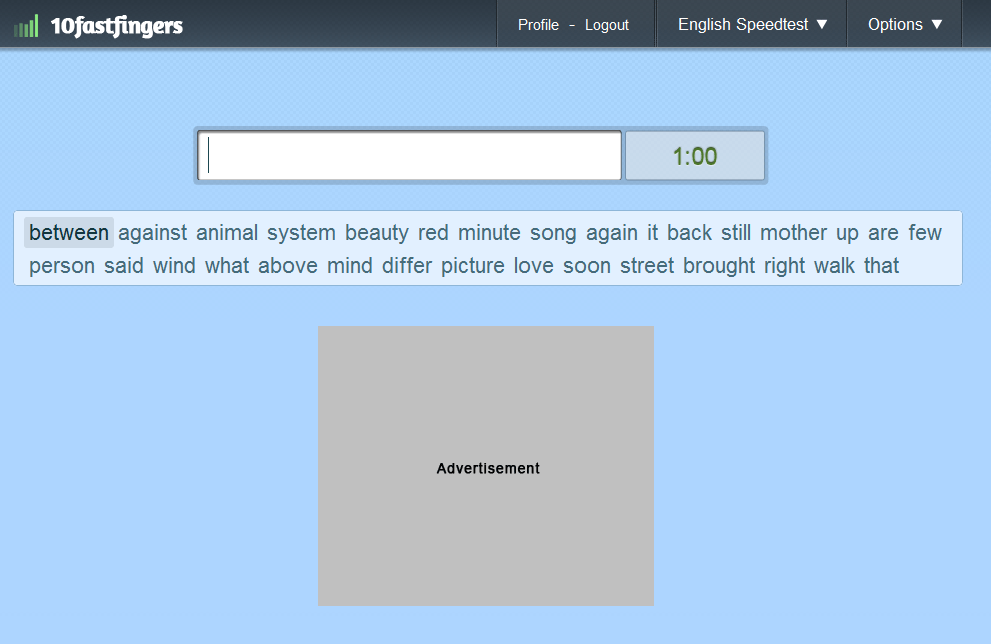
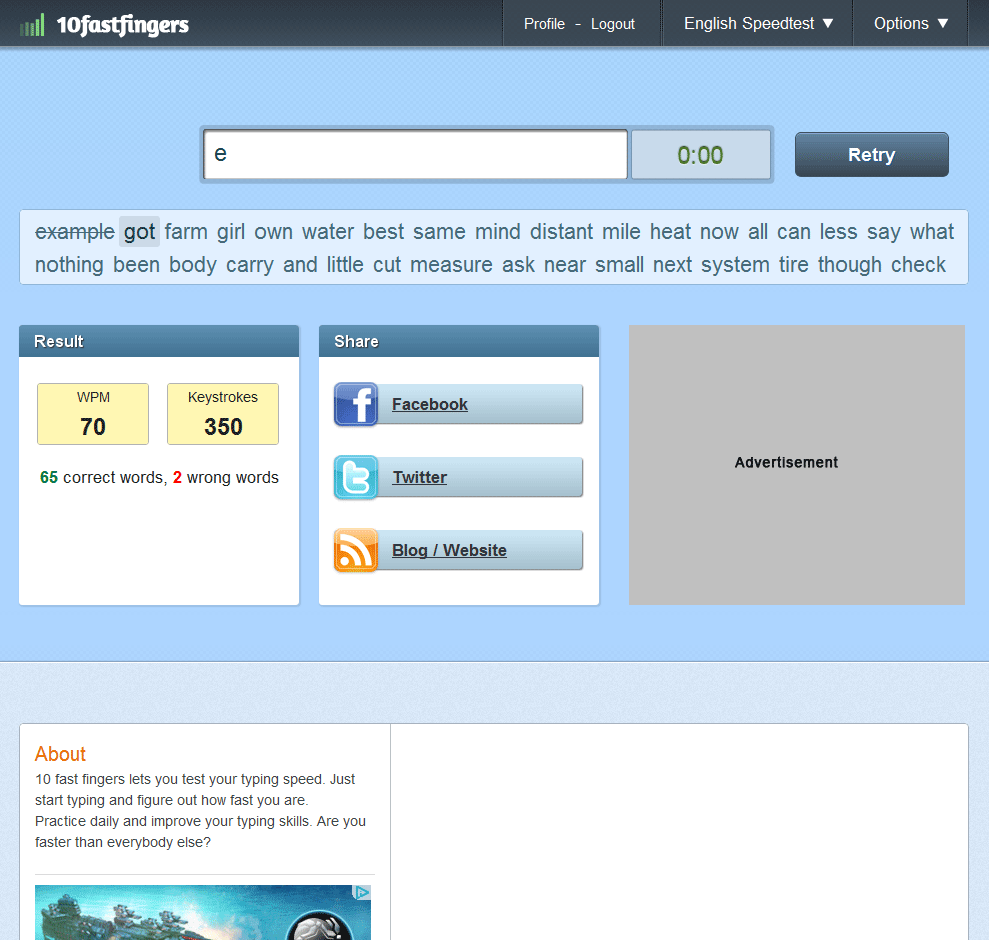
Here are a few screenshots from the previous speedtest which was live from around 2007-2011 and which got replaced by the new Typing Speed Test.
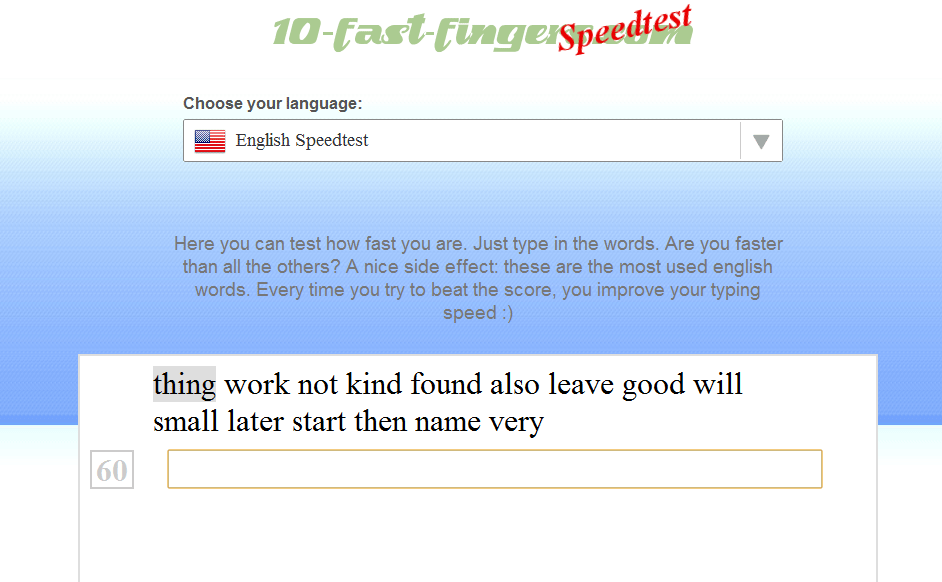
The functionality of the previous version was quiet simple:
- you could type for one minute using the 100-200 most frequent used words of your language
- at the end you got your result, if you wanted to save it you had to take a screenshot (which a lot of people did and even posting there screenshot on forums etc.)
- you also got a badge with your WPM count (which wasn’t accurate because I didn’t use the correct WPM-calculation back then)
- the ranking list was reset at the start of the month
- cheating was quiet easy
- lots of other stuff which got improved by now
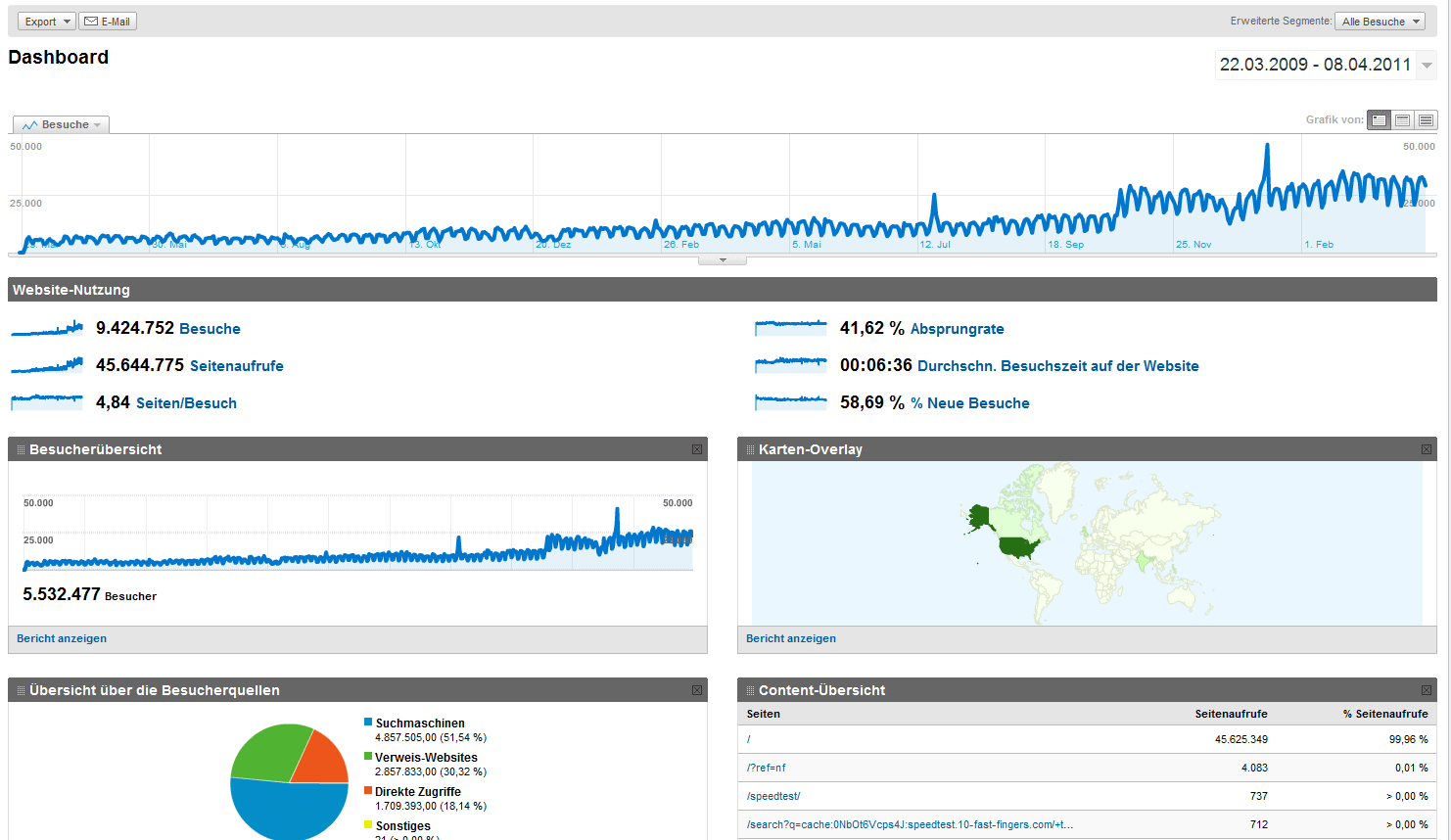
A Google Analytics screenshot which shows the growth and reach of the Speedtest in the early days:
Speedtest Redesign
After almost 4 years I finally decided to start redesigning my typing speedtest. Redesign might not be the appropriate word though there will be definitely a new design but I also plan to improve and extend the functionality (without corrupting the core experience).
These are the features/improvements I currently plan on implementing:
- a new Layout
- improved WPM calculation – currently I just count the number of words (silly me) which is apparently wrong: Words per minute
- “smooth” next line – everytime users reach the last word and wait for the next block of words, their typing flow is interrupted. This is bad… really bad! Definitely need to fix that.
- Increased site speed – the speedtest is quiet optimized already and with the additional features I’m a little bit concerned about the site performance (afterall over 1.000.000 users worldwide use the speedtest every month). A few things I will try to keep the load as small as possible:
- use css sprites
- load jQuery through Google
- load advertisement asynchronously
- best practices for speeding up your website
- Login with Facebook or Twitter, save your results and see if you improve over time
- Gamification/Badges: I might add badges to improve your typing experience like: “typing more than 80 WPM, 10 times in a row” or “typing more than 100 WPM”. This won’t be in the first release but if the login system will be implemented there is a high chance that I add a few game elements
- I’m not yet a logo designer but I will try to create something sexy and recognizable
higher cheat prevention – as for almost every application which runs client-side, its really hard to prevent cheating. I will research possibilities to prevent cheating, maybe we can finally have a nice little ranking list without those pesky cheater

But before I start hacking one line of code I need your feedback. If you have any suggestions, things you don’t like with the current version or features you might enjoy, just leave me a comment. Or, and this might be even better, participate on my uservoice forum. You can make suggestions or vote up suggested features from other users. I won’t implement every feature. Actually I will only implement the most requested features, so VOTE!
If you are interested in the current development, just follow me on twitter. If you find a mistake, please let me know in the comments!
Work in Progress I
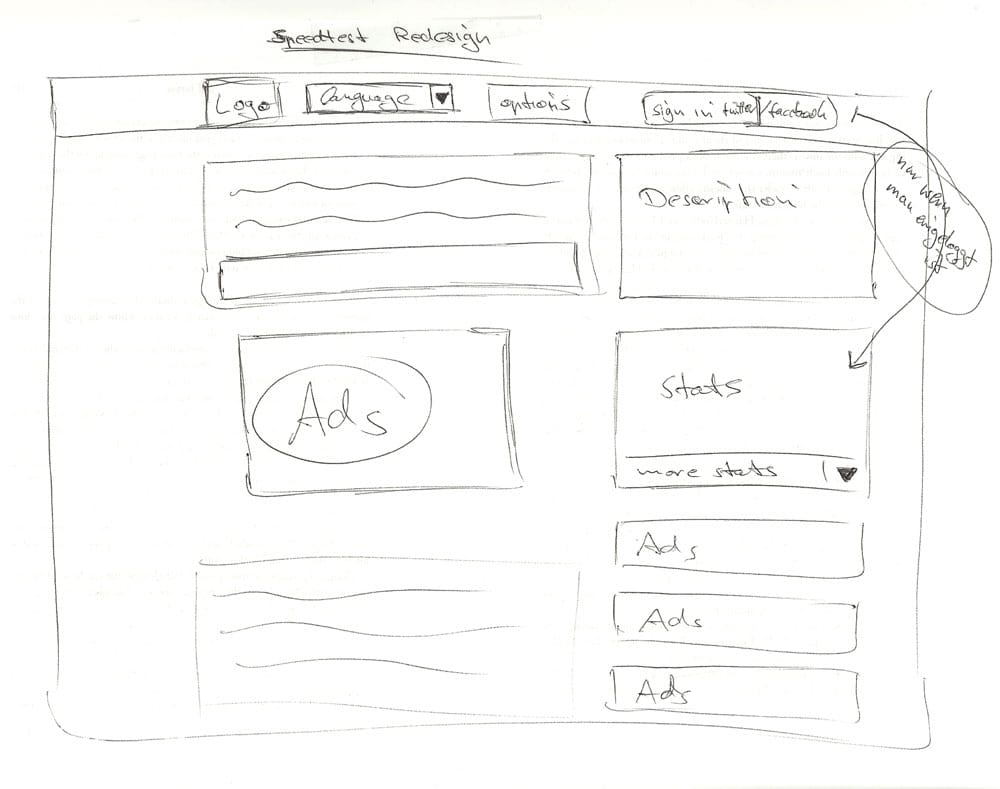
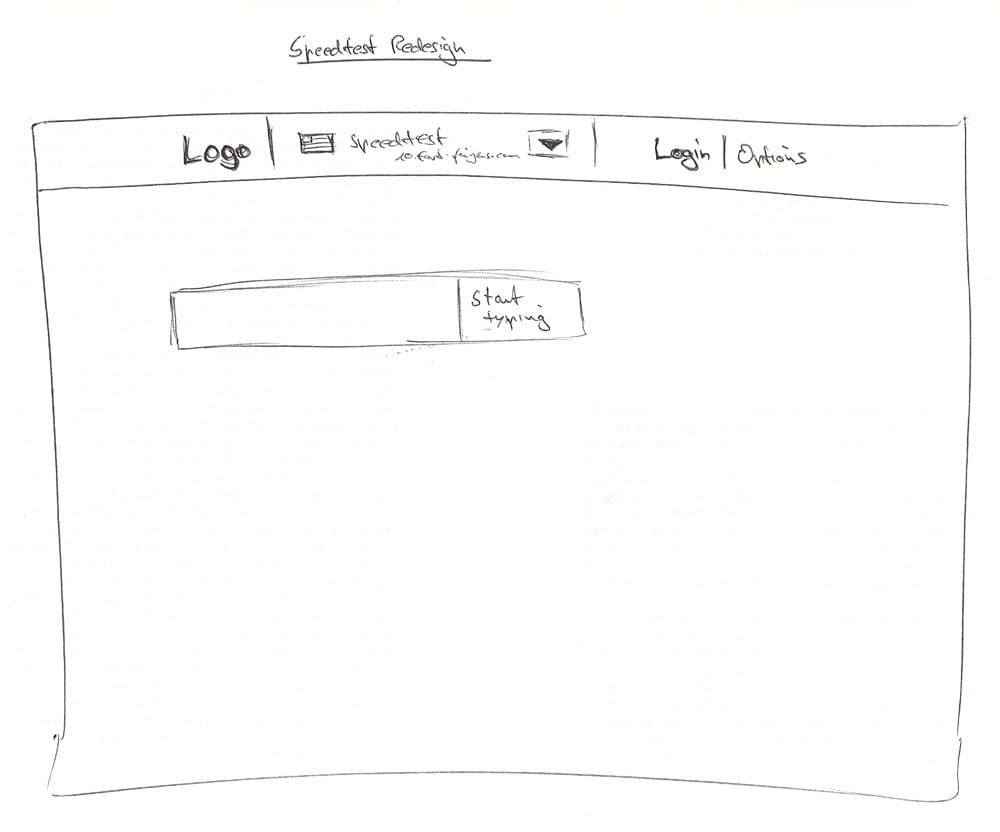
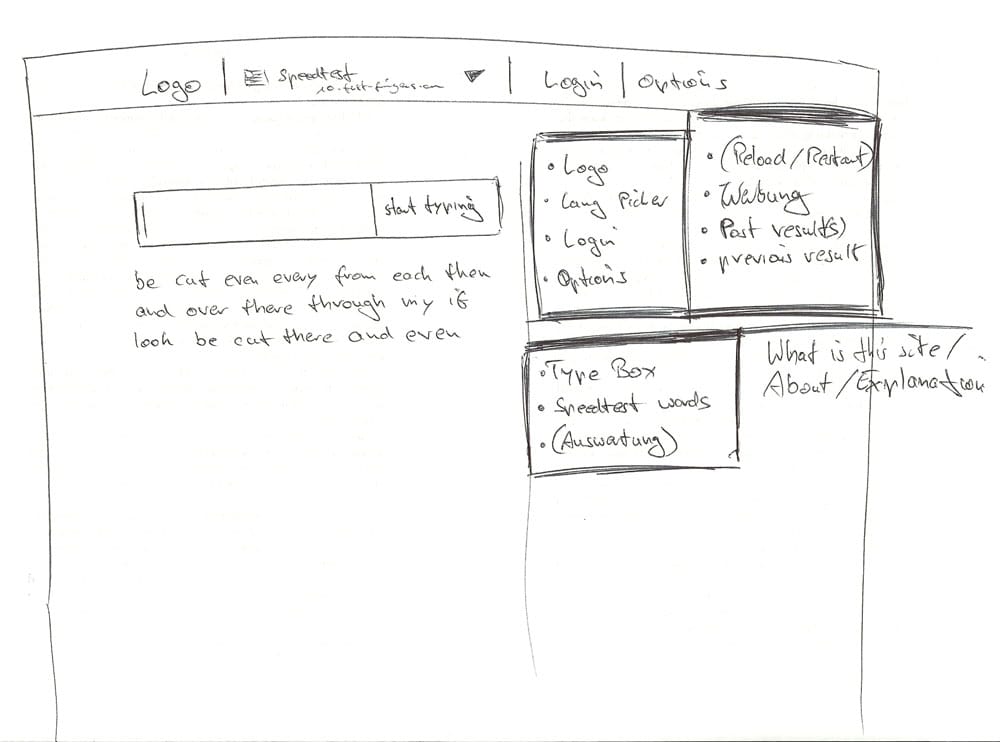
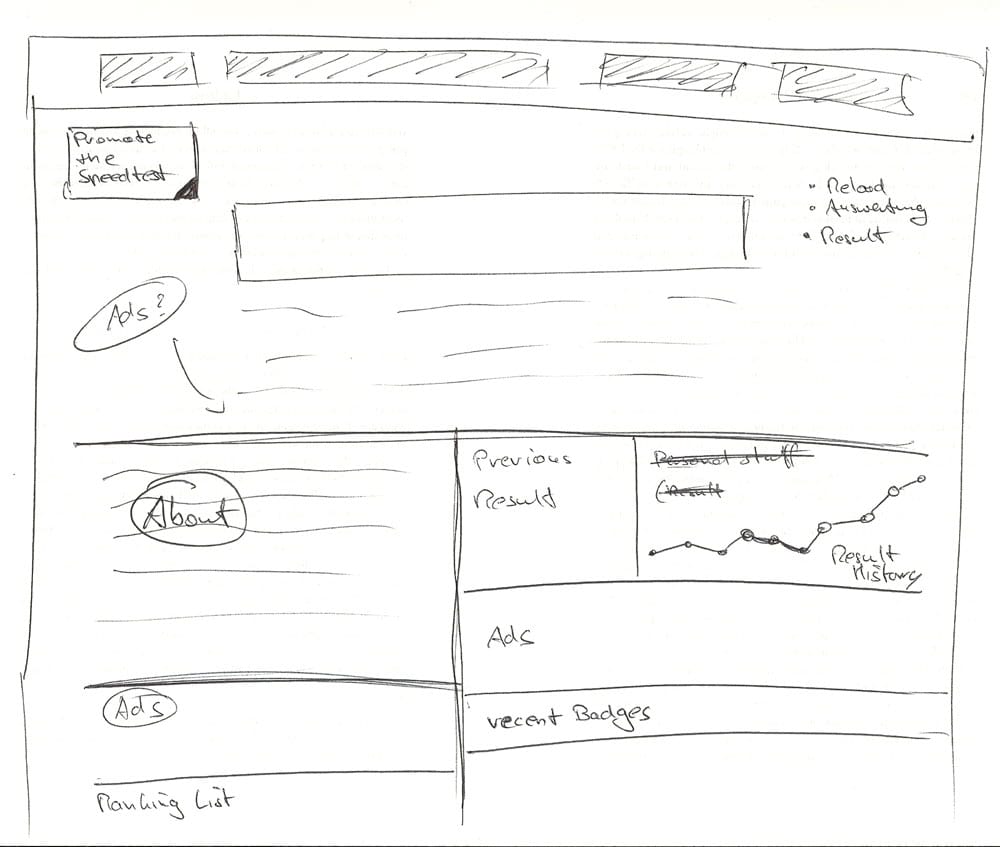
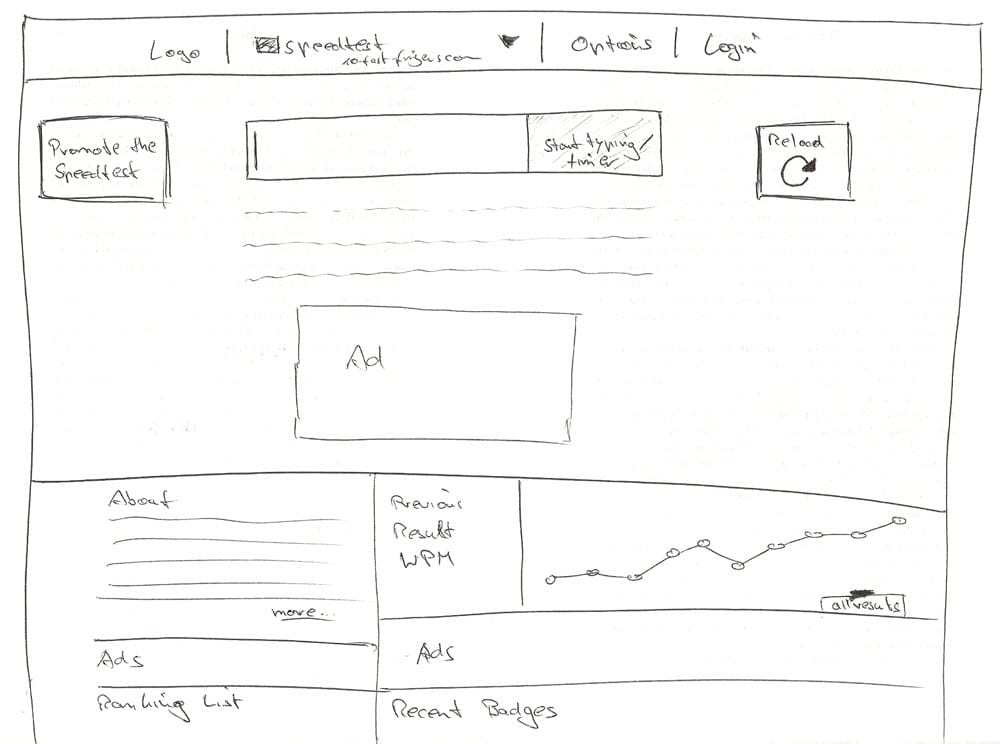
After collecting your feedback and suggestions I created a few paper mockups and arranged the most important elements.
I’m currently working on the design (using Photoshop CS5).
Paper prototyping / Mockups
(the mockups are posted in chronological order)
Photoshop Mockup and Implementation
First I create a mockup in Photoshop (I usually use a dark background and a light color for the main areas).
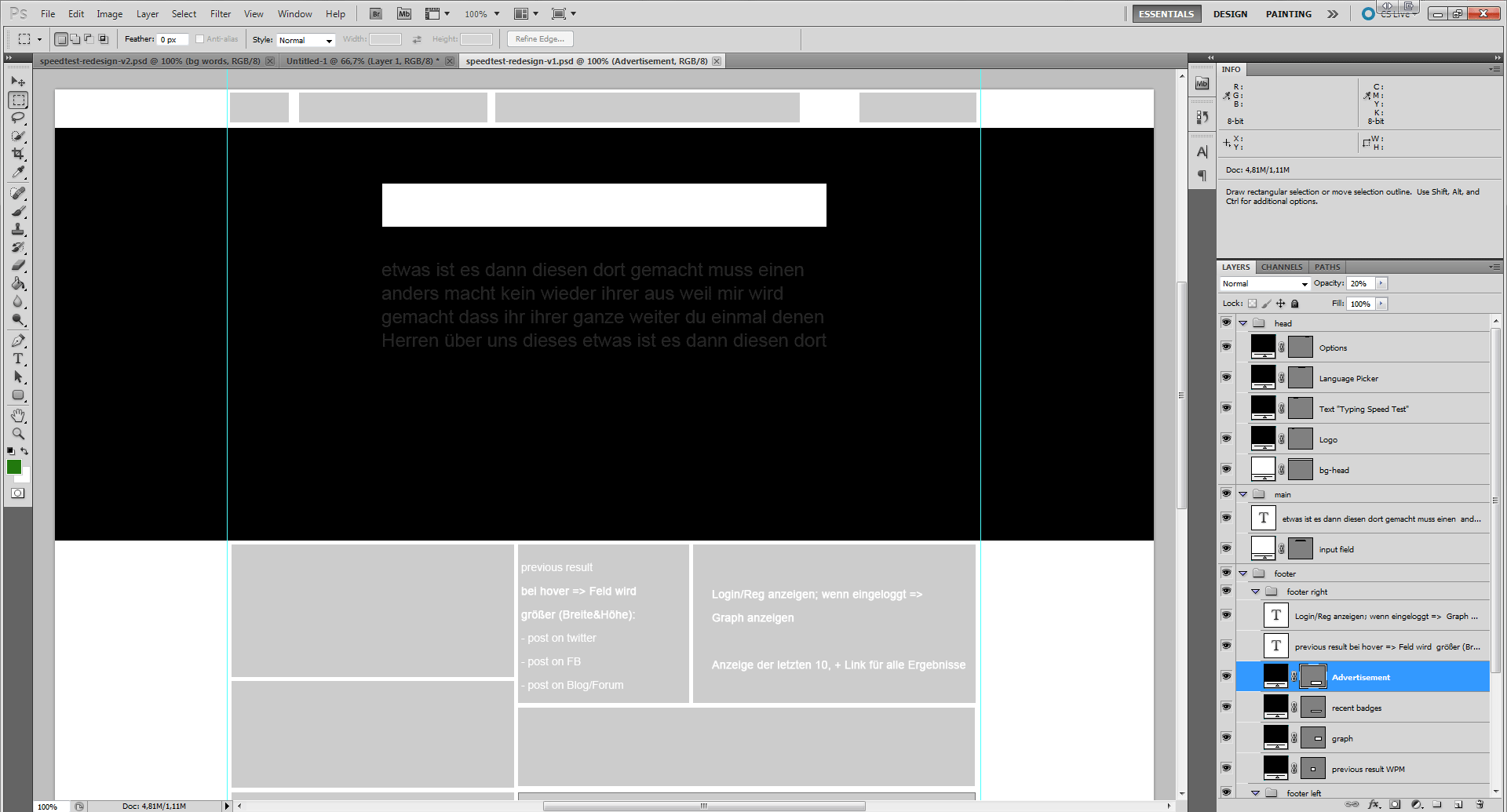
After creating the mockup I start working on the most important area first (for the speedtest it is the Input field and the words the user has to type).
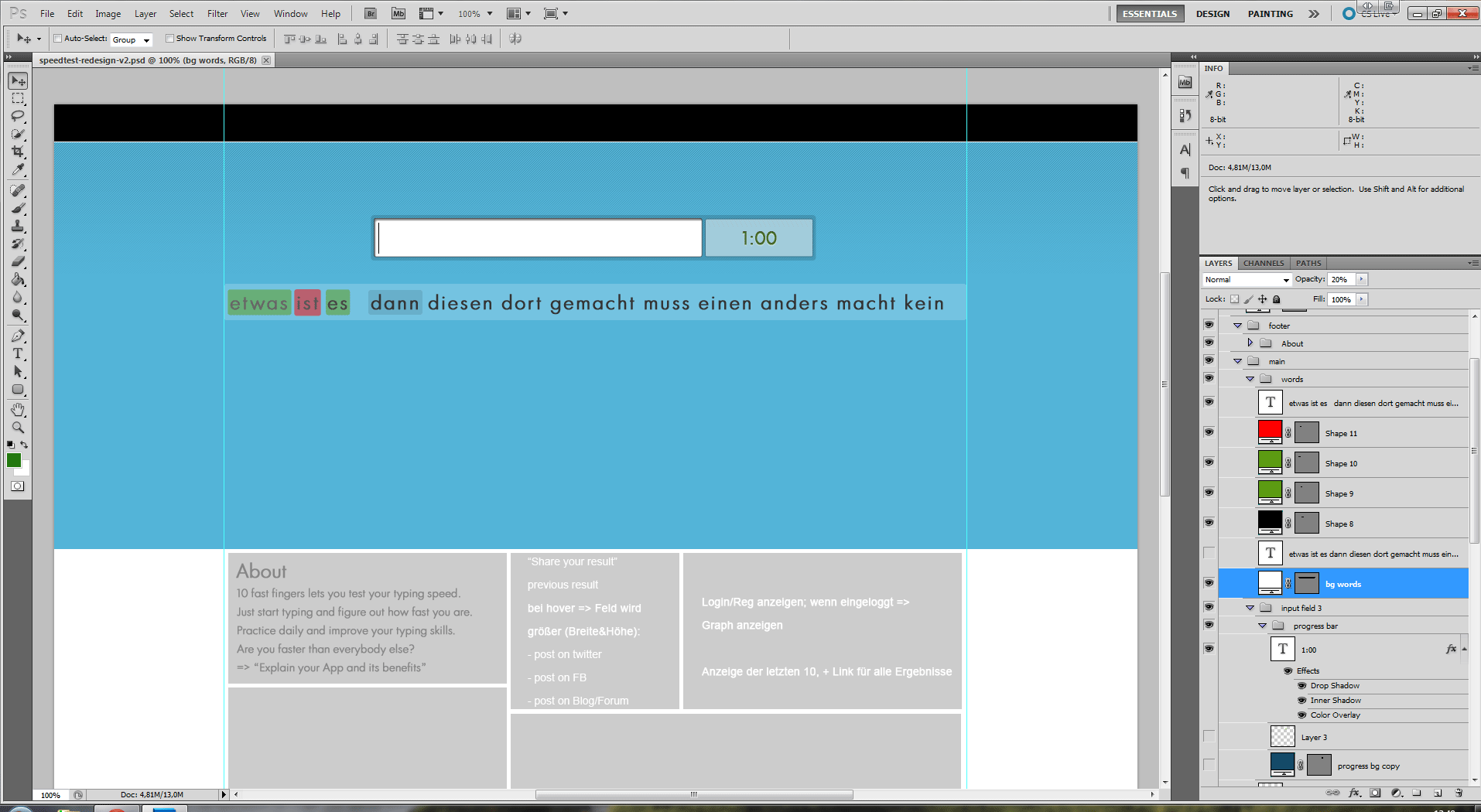
If you compare the Photoshop Implementation with the last paper mockup you can see a difference in how the words will be displayed. Instead of having a huge word block with 3 rows I now experiment with a “word-slideshow”. This hopefully saves space and will get rid of the irritating “line-switching”.
Work in progress II
I’m currently testing which system I’ll use for displaying and processing the words.
At first I thought about a word slideshow (as you can see in work in progress I – the photoshop screenshot). After Austin mentioned in the comments that this might not be such a good idea, I prototyped this solution and discovered that he was right.
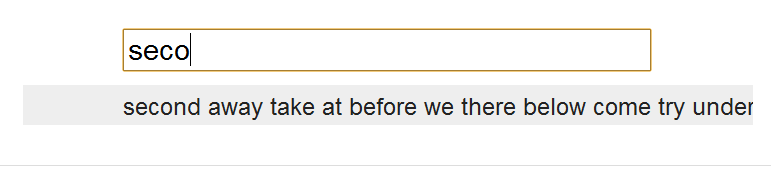
Especially if you are typing fast this gets very irritating.
Another approach is the “line switcher”. You basically have two rows of words. The first row is the one you are currently typing, the second one contains the ensuing ones. After finishing row 1, row 2 will jump one line (now being in row 1) and row 2 will be filled with the next line of words.
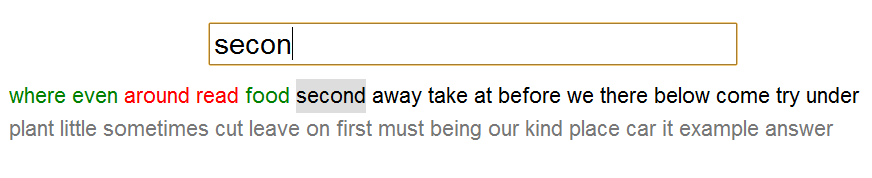
Work in progress III
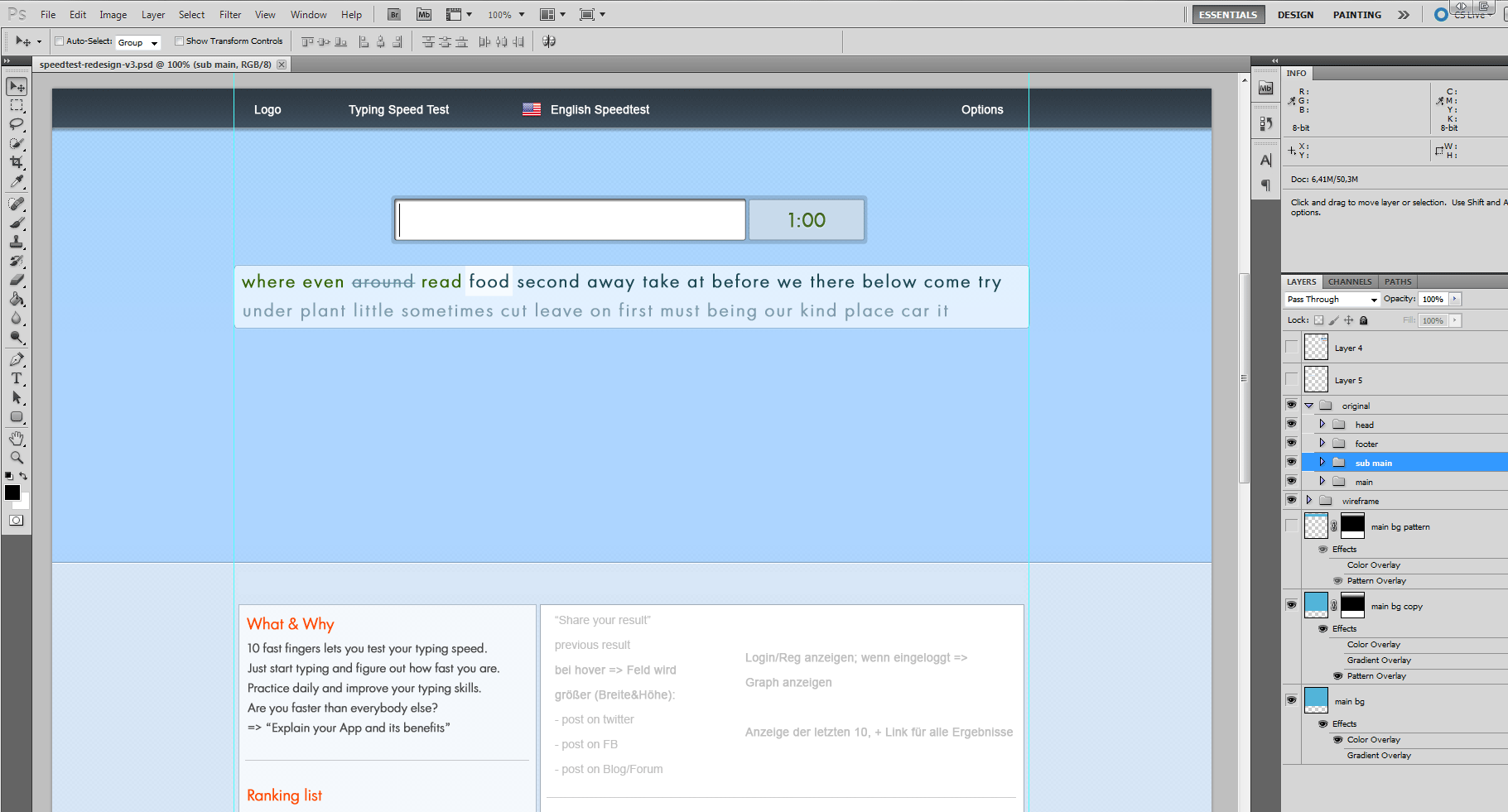
Just a quick screenshot:
Work in progress IV
I know, this might not seem like a lot of progress but I also worked on the footer of the site (which is not visible on the screen). I also wasted a lot of time struggling with a logo (as you can see on the screenshot I was not successful and had to skip this step for now).
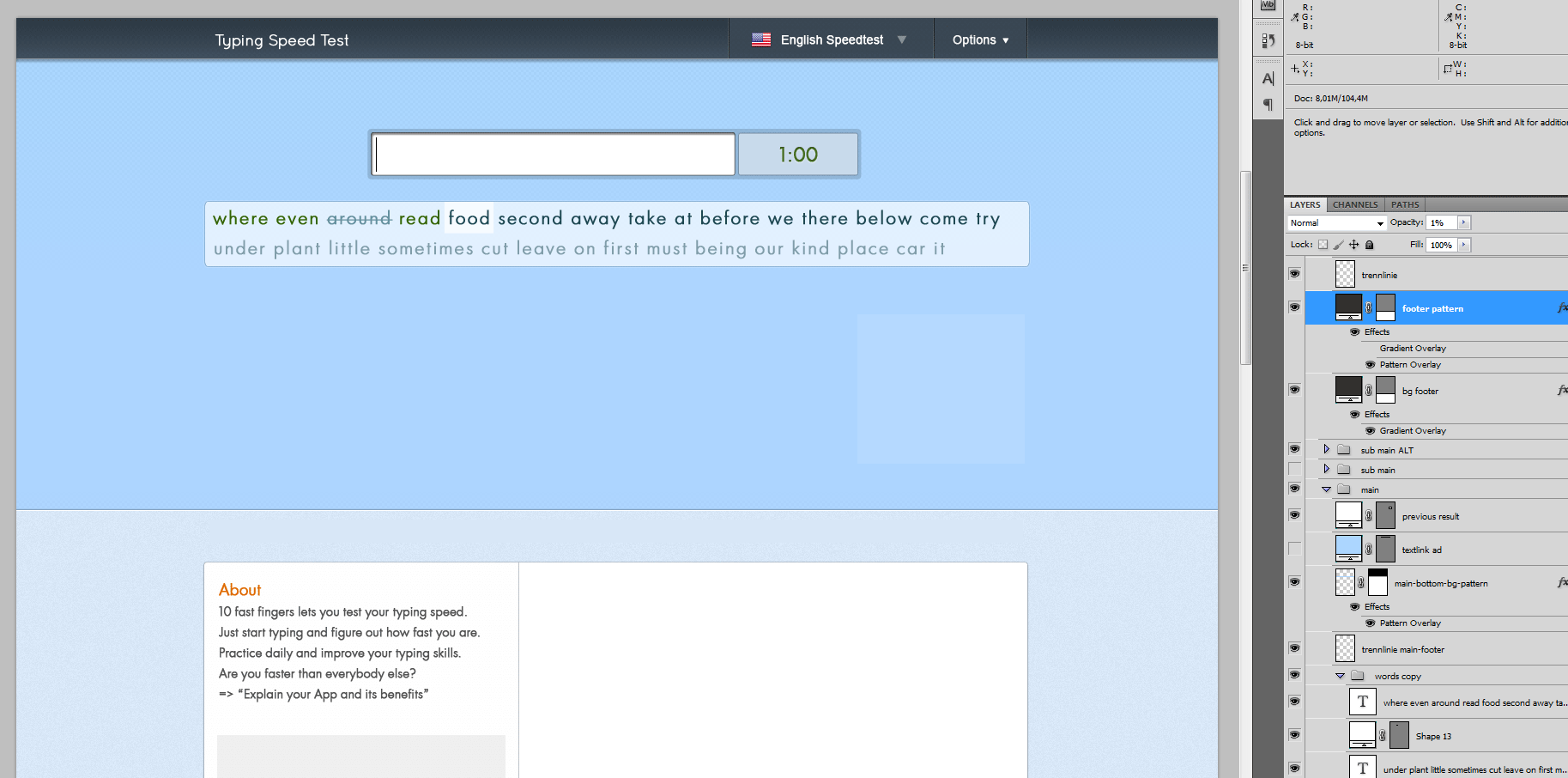
I’m currently implementing the design in HTML & CSS as well as the basic functionality with Jquery/Javascript.
Work in progress V
A quick update about my progress with the Speedtest Redesign:
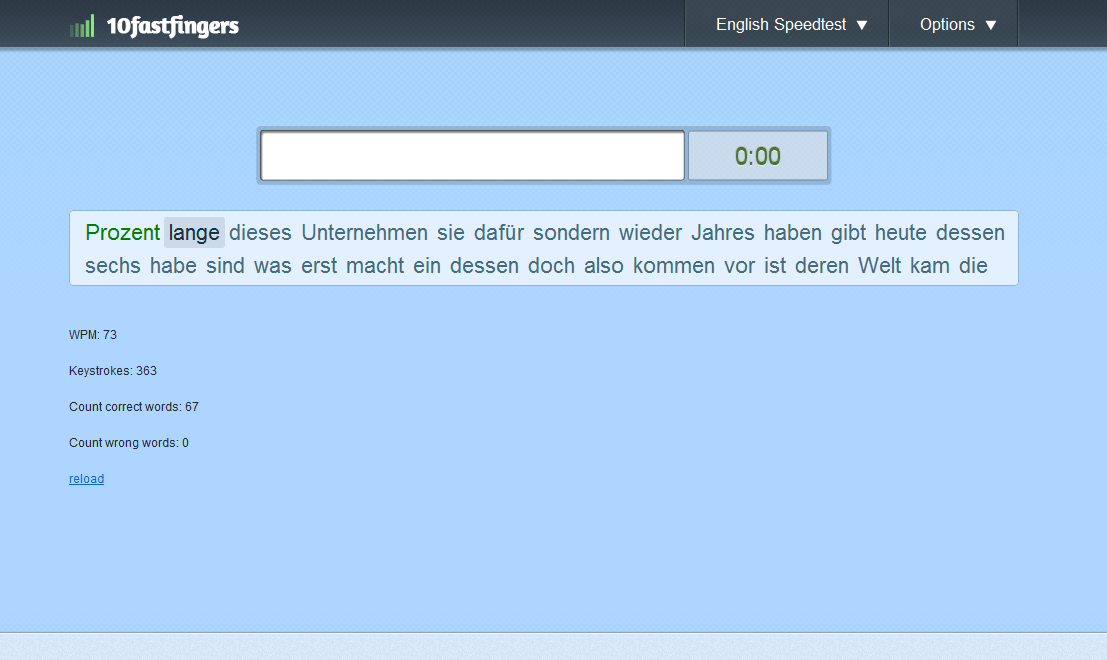
The layout which you saw in the previous article Work in progress IV is now implemented and the test already works (currently I’m testing with german words). The next step will be a login system (so that you can login with your twitter or facebook account and track your results).
There are still a lot of things which aren’t implemented yet or need improvement but I will consider your feedback when I release the beta version (which will probably be in a couple of days *fingers crossed*).